WalletAccount
Use wallets to sign transactions in your DAPP.
The WalletAccount class is similar to the regular Account class, with the added ability to ask a browser wallet to sign and send transactions. Some other cool functionalities will be detailed hereunder.
The private key of a WalletAccount is held in the Wallet, so any signature is managed by the wallet. With this approach DAPPs don't need to manage the security for any private key.
This class functions only within the scope of a DAPP. It can't be used in a Node.js script.
Architecture
In your DAPP, you have to use the get-starknet library to select and interact with a wallet.
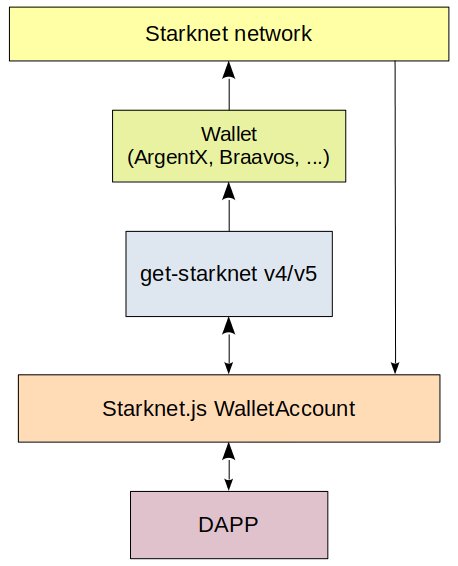
When retrieving information from Starknet, a WalletAccount instance will read directly from the blockchain. That is why at the initialization of a WalletAccount a Provider instance is a required parameter, it will be used for all reading activities.
With get-starknet v5
When retrieving information from Starknet, a WalletAccountV5 instance will read directly from the blockchain. That is why at the initialization of a WalletAccountV5 a RpcProvider instance is a required parameter, it will be used for all reading activities.
If you want to write to Starknet the WalletAccountV5 will ask the wallet to sign and send the transaction using the Starknet Wallet API to communicate.
As several wallets can be installed in your desktop/mobile, the WalletAccountV5 needs the ID of one of the available wallets. You can ask get-starknet v5 to provide a list of available wallets, and you have to select one of them, called a WalletWithStarknetFeatures Object.
Select a Wallet
Using the get-starknet/discovery v5 library you have to create your own UI and logic to select one of the available wallets. An example in a DAPP: here. In this example you can select only the wallets compatible with the Starknet Wallet API.
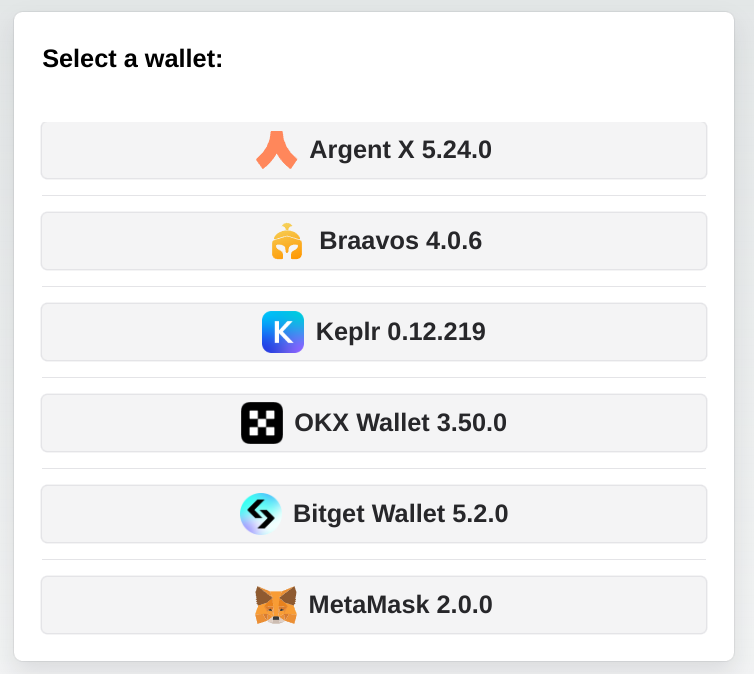
Instantiating a new WalletAccountV5:
import { createStore, type Store } from '@starknet-io/get-starknet/discovery'; // v5.0.0 min
import { type WalletWithStarknetFeatures } from '@starknet-io/get-starknet/standard/features';
import { WalletAccountV5, walletV5 } from 'starknet'; // v7.2.0 min
const myFrontendProviderUrl = 'https://free-rpc.nethermind.io/sepolia-juno/v0_8';
const store: Store = createStore();
const walletsList: WalletWithStarknetFeatures[] = store.getWallets();
// Create you own Component to select one of these wallets.
// Hereunder, selection of 2nd wallet of the list.
const selectedWallet: WalletWithStarknetFeatures = walletsList[1];
const myWalletAccount: WalletAccountV5 = await WalletAccountV5.connect(
  { nodeUrl: myFrontendProviderUrl },
  selectedWallet
);
The wallet is connected to this blockchain to write in Starknet:
const writeChainId = await walletV5.requestChainId(myWalletAccount.walletProvider);
and to this blockchain to read Starknet:
const readChainId = await myWalletAccount.getChainId();
Subscription to events
You can subscribe to one event with get-starknet v5:
onChange: Triggered each time you change the current account or the current network in the wallet.
import type { StandardEventsChangeProperties } from "@wallet-standard/features";
const addEvent = useCallback((change: StandardEventsChangeProperties) => {
    console.log("Event detected", change.accounts);
    if (change.accounts?.length) {
        console.log("account event=", change.accounts[0].address);
        setCurrentAccount(change.accounts[0].address);
        console.log("network event=", change.accounts[0].chains[0]);
        setCurrentChainId(change.accounts[0].chains[0].slice(9));
    }
}, []);
...
useEffect(() => {
    console.log("Subscribe events...");
    selectedWalletAccountV5?.onChange(addEvent);
    return () => {
        console.log("Unsubscribe to events...");
        selectedWalletAccountV5?.unsubscribeChange();
}
}
, [selectedWalletAccountV5, addEvent]);
With get-starknet v4
The concept of Starknet reading/writing is the same when using get-starknet v4 and the WalletAccount class.
Select a Wallet
You can ask the get-starknet v4 library to display a window with a list of wallets, then it will ask you to make a choice. It will return the StarknetWindowObject Object (referred to as SWO hereunder) of the wallet the user selected.
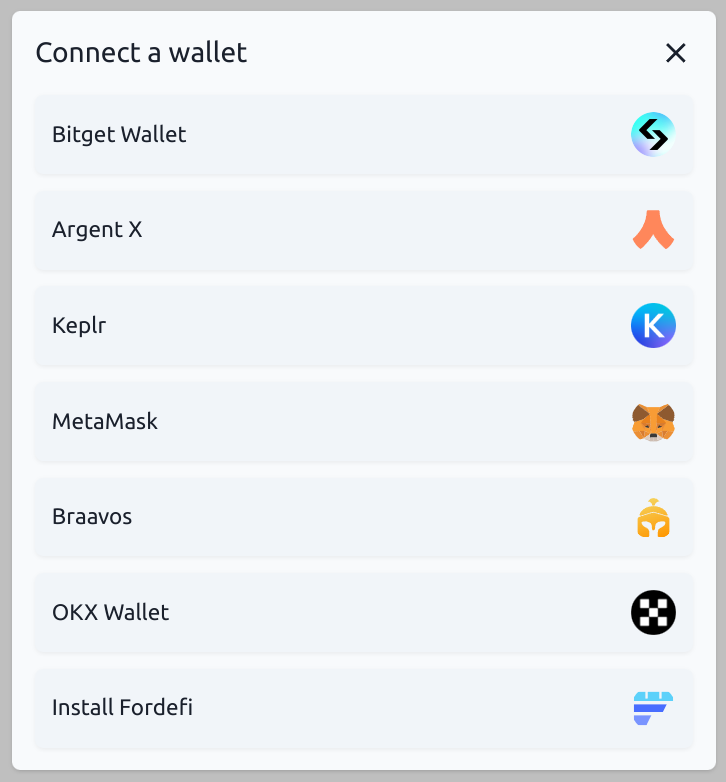
Instantiating a new WalletAccount:
import { connect } from '@starknet-io/get-starknet'; // v4.0.3 min
import { WalletAccount, wallet } from 'starknet'; // v7.0.1 min
const myFrontendProviderUrl = 'https://starknet-sepolia.public.blastapi.io/rpc/v0_8';
// standard UI to select a wallet:
const selectedWalletSWO = await connect({ modalMode: 'alwaysAsk', modalTheme: 'light' });
const myWalletAccount = await WalletAccount.connect(
  { nodeUrl: myFrontendProviderUrl },
  selectedWalletSWO
);
Using the get-starknet-core v4 library you can create your own UI and logic to select the wallet. An example of DAPP using a custom UI here, in this example you can select only the wallets compatible with the Starknet Wallet API.
The wallet is connected to this blockchain to write in Starknet:
const writeChainId = await wallet.requestChainId(myWalletAccount.walletProvider);
and to this blockchain to read Starknet:
const readChainId = await myWalletAccount.getChainId();
Subscription to events
You can subscribe to 2 events with get-starknet v4:
accountsChanged: Triggered each time you change the current account in the wallet.networkChanged: Triggered each time you change the current network in the wallet.
At each change of the network, both account and network events are emitted.
At each change of the account, only the account event is emitted.
Subscribe
accountsChanged
const handleAccount: AccountChangeEventHandler = (accounts: string[] | undefined) => {
  if (accounts?.length) {
    const textAddr = accounts[0]; // hex string
    setChangedAccount(textAddr); // from a React useState
  }
};
selectedWalletSWO.on('accountsChanged', handleAccount);
networkChanged
const handleNetwork: NetworkChangeEventHandler = (chainId?: string, accounts?: string[]) => {
  if (!!chainId) {
    setChangedNetwork(chainId); // from a React useState
  }
};
selectedWalletSWO.on('networkChanged', handleNetwork);
Unsubscribe
Similar to subscription, by using the .off method.
selectedWalletSWO.off('accountsChanged', handleAccount);
selectedWalletSWO.off('networkChanged', handleNetwork);
You can subscribe both with the SWO or with a WalletAccount instance.
The above examples are using the SWO, because it is the simpler way to process.
WalletAccount usage
Use as an Account
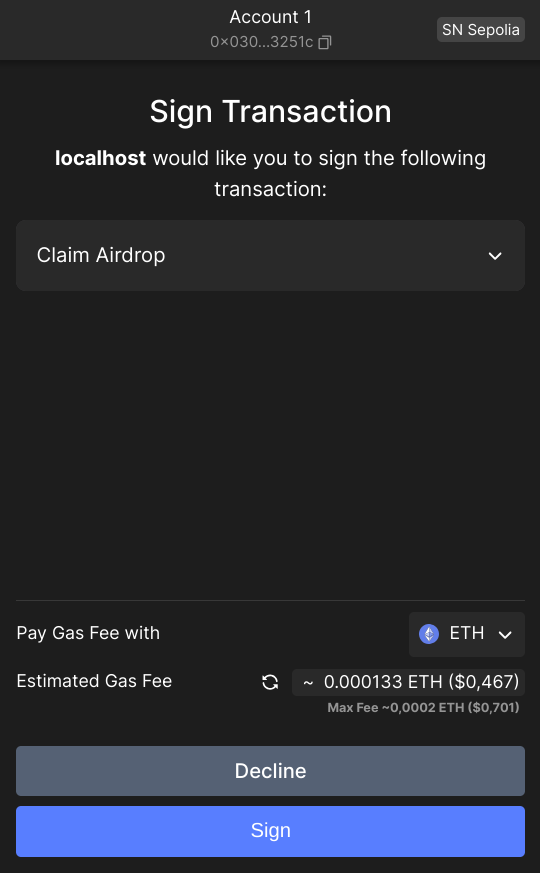
Once a new WalletAccount or WalletAccountV5 is created, you can use all the power of Starknet.js, exactly as a with a normal Account instance, for example myWalletAccount.execute(call) or myWalletAccount.signMessage(typedMessage):
const claimCall = airdropContract.populate('claim_airdrop', {
  amount: amount,
  proof: proof,
});
const resp = await myWalletAccount.execute(claimCall);
Use in a Contract instance
You can connect a WalletAccount with a Contract instance. All reading actions are performed by the provider of the WalletAccount, and all writing actions (that need a signature) are performed by the wallet.
const lendContract = new Contract(contract.abi, contractAddress, myWalletAccount);
const qty = await lendContract.get_available_asset(addr); // use of the WalletAccount provider
const resp = await lendContract.process_lend_asset(addr); // use of the wallet
Use as a Provider
Your WalletAccount instance can be used as a provider:
const bl = await myWalletAccount.getBlockNumber();
// bl = 2374543
You can use all the methods of the RpcProvider class. Under the hood, the WalletAccount will use the RPC node that you indicated at its instantiation.
Direct access to the wallet API entry points
The WalletAccount class is able to interact with all the entrypoints of the Starknet Wallet API, including some functionalities that do not exists in the Account class.
A full description of this API can be found here.
Some examples:
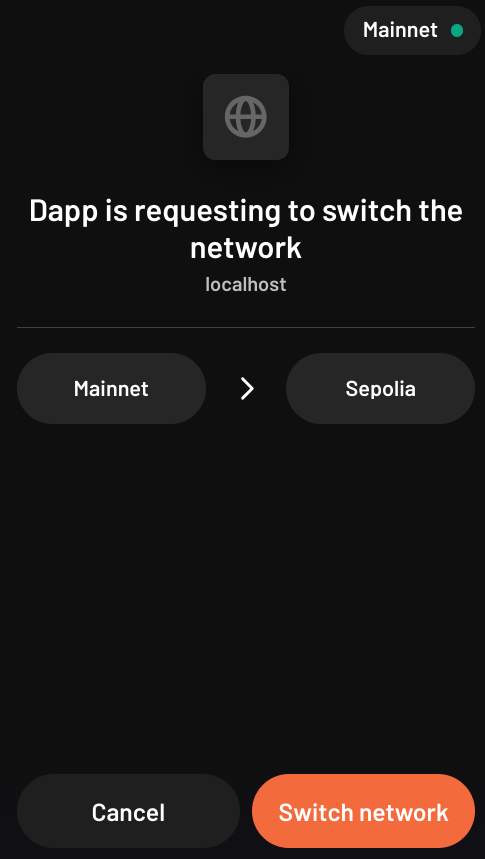
Request to change the wallet network
Using your WalletAccount, you can ask the wallet to change its current network:
useEffect(
  () => {
    if (!isValidNetwork()) {
      const tryChangeNetwork = async () => {
        await myWalletAccount.switchStarknetChain(constants.StarknetChainId.SN_SEPOLIA);
      };
      tryChangeNetwork().catch(console.error);
    }
  },
  [chainId] // from a networkChanged event
);
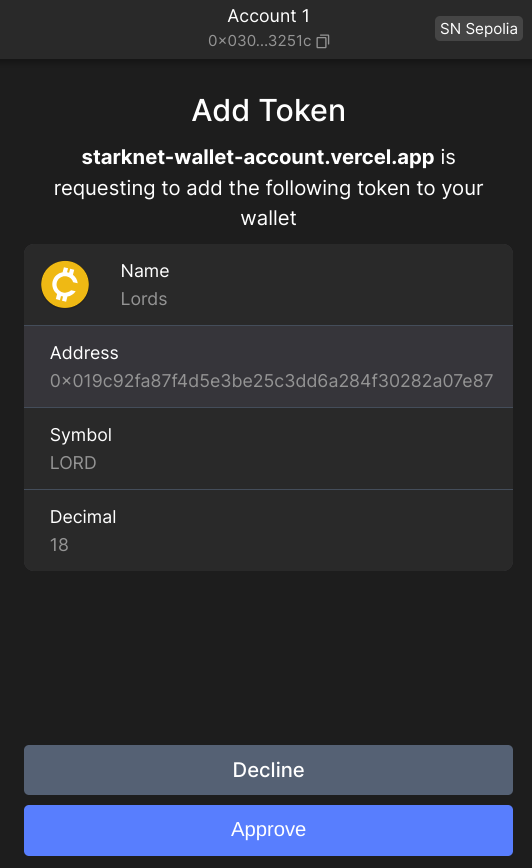
Request to display a token in the wallet
Using your WalletAccount, you can ask the wallet to display a new token:
useEffect(
  () => {
    const fetchAddToken = async () => {
      const resp = await myWalletAccount.watchAsset({
        type: 'ERC20',
        options: {
          address: erc20Address,
        },
      });
    };
    if (isAirdropSuccess) {
      fetchAddToken().catch(console.error);
    }
  },
  [isAirdropSuccess] // from a React useState
);
Changing the network or account
When you change the network or the account address a WalletAccount instance is automatically updated, however, this can lead to unexpected behavior if one is not careful (reads and writes targeting different networks, problems with Cairo versions of the accounts, ...).
It is strongly recommended to create a new WalletAccount instance each time the network or the account address is changed.